Designing a website often involves turning creative concepts into functional platforms. Figma to WordPress conversion is a crucial step in this process. It transforms design prototypes into dynamic, theme-based websites. Page builders are valuable tools in this conversion journey, offering intuitive, drag-and-drop functionalities. They simplify complex coding, making web design accessible to more users. However, they also present challenges.
While they boost efficiency, they might limit advanced design control and potentially impact site performance. Thus, understanding the pros and cons of page builders is vital to make informed decisions, which will eventually enhance the website development experience.
What is Figma to WordPress Conversion?
Figma to WordPress conversion is the process of translating design concepts and prototypes created in Figma into a responsive and fully functional WordPress website. This involves converting Figma designs into a custom WordPress theme, which then can be installed and utilized on a WordPress site. The process demands expertise in both Figma and WordPress platforms to ensure successful implementation and functionality.
Benefits of Figma to WordPress Conversion
- Increased Engagement: Figma to WordPress conversion can boost targeted hits and user interaction due to the dynamic and appealing design features transferred from Figma.
- Unique Design: It allows for creating a unique and customized WordPress site, aiding in differentiation from competitors and attracting more visitors.
- Higher Conversion Rates: A visually compelling and user-friendly design can increase conversion rates and sales by enhancing user experience and satisfaction.
- Responsive Design Benefits: The process ensures a responsive design, which is crucial for optimal performance across various devices, improving overall accessibility.
- Streamlined Design Workflow: Using Figma’s collaborative design features can streamline workflow and communication, resulting in more efficient and cohesive website development.
Find out: Best Prototyping Tools for UI/UX Designers
Design Dreams to Digital Reality: Let’s Make It Happen!
Whether you need a custom website or prefer a streamlined page builder approach, we’ve got you covered. Send us your Figma designs today!
What are Page Builders in WordPress?
Page builders are powerful WordPress plugins that empower users to design and construct web pages without any coding expertise. They offer a user-friendly environment to visually customize web content.
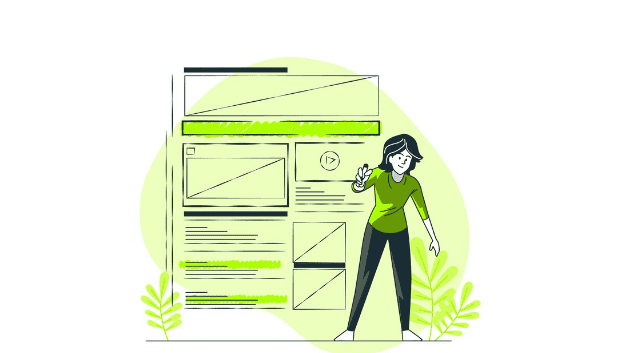
- Drag-and-Drop Interface: These tools provide an intuitive drag-and-drop editor, enabling users to effortlessly add and arrange design elements such as text, images, and videos on the page.
- Custom Themes and Templates: Page builders facilitate the creation of custom WordPress themes and templates, allowing for personalized and unique website designs.
- Real-Time Editing: Many page builders offer real-time editing capabilities, allowing users to see changes instantly as they adjust design elements.
- Versatile Design Elements: They come equipped with a wide range of design elements, including buttons, sliders, image galleries, and more. Thereby, providing flexibility in crafting diverse web pages.
- Built-In Responsive Settings: Page builders typically include features for adjusting layouts across different devices, ensuring designs are mobile-friendly and consistent on all screen sizes.
- Integration with Plugins: Many page builders seamlessly integrate with other popular WordPress plugins to enhance site functionality.
- Pre-Built Layouts and Templates: Users have access to a variety of pre-built layouts and templates, which can jumpstart the design process and serve as foundations for new projects.
Know more: Key Factors Influencing Your Figma to WordPress Conversion Costs
How Page Builders Work in WordPress Websites?
Page builders function by delivering a visual platform that simplifies the web design process. They integrate seamlessly with WordPress to render various design elements effectively.

Visual Interface
At the core of page builders is a user-friendly graphical interface. This feature allows users to intuitively create web page layouts by dragging and dropping elements into place. The real-time visual feedback enhances the design experience, as users can immediately see how their changes affect the page’s appearance, facilitating on-the-fly adjustments and refinements.
CSS and JavaScript Integration
Page builders harness the power of CSS and JavaScript to bring designs to life, which is essential for WordPress developers. These script languages are used to style text, add animations, and ensure interactive features function correctly. By automating these coding tasks, page builders maintain design fidelity, ensuring that the final webpage aligns closely with the initial design concept devised in the builder’s interface.
Responsive Design Creation
One of the most compelling features of page builders is their capability to produce responsive designs effortlessly. They include tools and settings that allow users to tweak and optimize layouts for various screen sizes automatically. This ensures that websites are consistently accessible and aesthetically pleasing, whether viewed on mobile devices, tablets, or desktop monitors.
Read: How to Ensure Design Consistency Across Multiple Pages During Figma to WordPress Conversion
Interactive and Dynamic Elements
Page builders often provide options to add dynamic elements such as accordions, carousels, and interactive forms. These enhance user engagement by creating an interactive experience. Such elements can be configured without coding, thus broadening the scope of website capabilities.
Extensive Customization Options
Users can also benefit from extensive customization options, including custom layouts, adjustable margins, padding, and styling for typography and colors. These customizable settings further empower users to craft websites that precisely reflect their brand identity and aesthetic preferences.
Find out: Figma to WordPress DIY Route or Hire a Professional Agency
Pros of Using Page Builders in WordPress Conversion Service
Page builders offer numerous benefits in the process of converting Figma designs to WordPress, making it accessible for users of all skill levels. Their user-friendly nature and powerful features streamline the design and development workflow.
Ease of Use and Intuitive Interface
Page builders offer a user-friendly interface, which significantly lowers the barriers for individuals without coding experience. The drag-and-drop functionality allows users to easily add, modify, and arrange elements, simplifying the web development process and enhancing workflow efficiency.
Rapid Development
By utilizing pre-built templates and design components, page builders enable users to quickly establish a website framework. This accelerates the conversion process by reducing the need for intricate custom coding, allowing for faster project completion.
Cost Efficiency
The intuitive design environment reduces the need for costly development resources since users can handle many tasks independently. This cost-effective approach makes it ideal for startups and small businesses.
Creative Flexibility
Page builders offer various customization options, allowing users to explore and implement design ideas more freely. This flexibility allows for creative experimentation and the realization of unique design visions.
Consistent Updates and Support
Most page builders, like Elementor, SeedProd, and Beaver Builder, receive regular updates and improvements from their developers. This ensures compatibility with the latest WordPress versions and offers users access to robust support and new features, enhancing the overall design and development experience.
Learn: How to Optimize Your Figma to WordPress Workflow for Faster Website Launches
Cons of Using Page Builders in WordPress Conversion
Despite their benefits, page builders also come with certain drawbacks that may affect your WordPress site’s overall design and performance. Understanding these limitations is crucial for informed decision-making.
Limited Design Control
While page builders are user-friendly, they can restrict advanced design customization. This limitation is especially pronounced in complex designs where unique elements are required. Users may need to resort to manual coding to achieve specific design goals, which can counteract the simplicity offered by page builders.
Performance Issues
Page builders often add extra code to the site, which can lead to slower loading speeds. The additional code and scripts may require more server resources, impacting site performance. Furthermore, the necessity for additional plugins can introduce compatibility issues and further slow down the website.
Potential Bloat
The ease of adding features and design elements can lead to feature bloat, where a website includes unnecessary elements that complicate and slow down the site. This can not only affect performance but also detract from the user experience. Optimization may require careful management and occasional removal of excess elements.
Check out: Best Tips for Ensuring High Conversion Rates When Converting Figma Designs to WordPress
Best Practices for Using Page Builders in Figma to WordPress Conversion
Utilizing page builders in the Figma to WordPress conversion process can significantly enhance your workflow and output. By adhering to best practices, you ensure a successful and efficient website development experience.
Choose the Right WordPress Page Builder
Selecting the right page builder is essential for seamless WordPress conversion. Ensure it is compatible with your existing WordPress theme and offers the level of design control you require. Opt for a page builder that fits your project’s specific needs and is intuitive to use.
Plan and Design Carefully
Before starting the conversion process, invest time in detailed planning and design. Use Figma to create a thorough design roadmap, focusing on user experience and usability. This careful forethought lays the groundwork for a coherent and functional website, reducing potential issues during development.
Optimize for Performance
After completing the conversion, site performance optimization should be a top priority. Utilize caching plugins to enhance loading speeds, optimize images for faster display, and choose a WordPress theme optimized for performance. Selecting a page builder designed with performance in mind will help maintain a seamless user experience across your site.
Learn about: Best White-Label Figma to WordPress Conversion for Agencies
Final Thoughts
The journey from Figma design to a fully operational WordPress site involves numerous decisions, with the choice to employ page builders as a significant consideration. Page builders, with their intuitive nature and efficiency, offer substantial advantages, particularly for those not versed in coding. They can expedite the site creation process, making it accessible to a broader audience. However, it’s essential to weigh these advantages against potential drawbacks, such as limited design flexibility and possible performance issues.
Ultimately, the choice hinges on your specific needs and project demands. By thoughtfully selecting tools and adhering to best practices, you can harness the benefits of page builders while mitigating their downsides, leading to a successful Figma to WordPress conversion.
Frequently Asked Questions
Is it easy to convert Figma to WordPress?
Converting Figma designs to WordPress can be straightforward with the right tools and expertise. Page builders simplify the process, although complex designs may still require custom coding knowledge.
Is Figma good for WordPress?
Yes, Figma is excellent for crafting detailed and interactive designs. It serves as a strong foundation for creating visually appealing WordPress themes.
Should I use a page builder in WordPress?
A page builder can be beneficial for those seeking ease of use and rapid development. However, manual coding might be preferable for highly customized designs.
Is Figma a good website builder?
Figma is a powerful design tool that is ideal for prototyping and creating detailed designs. However, it is not a replacement for traditional website builders like WordPress.
What are the best page builders for WordPress sites?