Converting Figma designs into fully functional WordPress websites can be challenging, especially for developers who want pixel-perfect designs with clean, responsive code. Manual coding takes time and often leaves room for errors. This is where AI code generator tools can help.
They make the Figma to WordPress conversion process faster, easier, and more efficient. With features like auto-layouts, CSS generation, SEO-friendly code, and integration with WordPress page builders, these tools are becoming indispensable for designers and developers alike.
In this article, we will explore the best AI code generator tools for Figma to WordPress conversion, their benefits, features, and how they can transform your web development workflow.
What Are AI-Powered Tools for Code Generation?
AI-powered code generators are advanced tools that use artificial intelligence to convert design files into clean, structured, and responsive code. Instead of writing every line of HTML, CSS, and PHP manually, these tools automate the process.

For WordPress developers, this means faster delivery of websites without compromising quality. These tools:
- Analyze Figma design files.
- Generate responsive HTML, CSS, and WordPress-compatible code.
- Integrate with page builders like Elementor and Gutenberg.
- Support SEO-friendly development practices.
With AI-powered tools, developers can spend less time on repetitive coding tasks and more time on creativity, functionality, and user experience.
Converting Figma Designs to WordPress
Traditionally, converting Figma designs to WordPress requires technical knowledge of HTML, CSS, PHP, and JavaScript. AI code generators simplify this by:
- Directly exporting Figma designs to code.
- Ensuring responsive layouts for all devices.
- Maintaining SEO-friendly structures.
For example, instead of manually slicing images and coding layouts, an AI tool can generate WordPress-ready sections with a few clicks.
CSS Code Generation
AI tools also automate CSS generation. They:
- Produce clean and responsive CSS.
- Support custom WordPress themes.
- Ensure compatibility with Elementor, Gutenberg, and other builders.
This feature helps maintain design consistency and ensures better performance across browsers and devices.
Key Features of AI Code Generators
When choosing an AI code generator for Figma to WordPress conversion, consider the following features:
- Auto-Layout and Responsive Manager: Automatically adapts designs for mobile, tablet, and desktop screens.
- Page Builder Integration: Works seamlessly with Elementor, Gutenberg, or other popular WordPress builders.
- SEO-Friendly Code Generation: Ensures proper HTML structure, meta tags, and optimized CSS for search engines.
- IDE Integration: Enhances workflow by supporting Visual Studio Code and similar tools.
- Flexible Pricing Models: Subscription or custom pricing options to suit freelancers, agencies, and enterprises.
Figma Templates and Project Management
AI code generators can convert Figma templates into WordPress themes, making it easy to create reusable components. They also help in managing Figma projects by:
- Organizing design files.
- Importing assets directly into WordPress.
- Synchronizing container widths across devices with features like Global Boxed Width Container Sync.
This ensures consistency in design and code structure across the entire website.
Figma to WordPress Conversion Settings
AI code generators provide advanced settings for customization:
- Configure SEO elements.
- Adjust responsiveness for different screen sizes.
- Choose specific WordPress page builders.
These settings allow developers to fine-tune the conversion process and deliver high-quality websites that meet project requirements.
Why Choose Professional Services Instead of AI Conversion?
While AI code generators are powerful and efficient, they are not always the best fit for every project. In many cases, professional WordPress development services offer greater flexibility, customization, and long-term value.

Let’s look at why choosing expert conversion services can be the smarter option.
- Customization Beyond Templates: AI tools often follow predefined patterns, which may limit creativity. Professional developers, however, can build highly customized websites tailored to unique brand requirements.
- Complex Functionality: When projects require advanced features such as custom plugins, integrations, or dynamic content, manual expertise becomes essential. Skilled developers can create solutions that AI tools cannot fully handle.
- Quality Assurance and Testing: AI generators may miss details like cross-browser compatibility or accessibility standards. Professionals thoroughly test websites to ensure flawless performance across devices and user needs.
- Scalability and Future-Proofing: Businesses planning to scale require websites that adapt seamlessly over time. Human experts can design flexible architectures that grow with business demands.
- Personalized Support: Unlike AI tools, professional services offer ongoing support, troubleshooting, and strategic guidance. This ensures the website continues to perform well post-launch.
In short, while AI conversion is fast and affordable, professional services provide the expertise and adaptability needed for complex, high-quality WordPress projects.
Build a High-Performing WordPress Website
Our professional WP conversion services ensure pixel-perfect design, custom functionality, and long-term scalability.
Benefits of Using AI Code Generators for Figma to WordPress
AI code generators are revolutionizing the way designers and developers convert Figma designs into WordPress websites. By automating repetitive tasks and generating clean code, these tools bring speed, efficiency, and accuracy to the workflow.
For instance, a freelance designer can use an AI code generator to convert a complex Figma template into a fully functional WordPress theme in half the usual time.
Let’s explore the key benefits in detail.
- Time-Saving: These tools automate the conversion process, turning hours of manual coding into just minutes. As a result, projects are delivered faster without compromising quality.
- Cleaner Code: AI generators produce well-structured, SEO-friendly, and responsive code. This ensures that websites not only perform better but also rank higher in search engines.
- Error Reduction: Since AI tools minimize human intervention, they significantly reduce common coding mistakes. This means fewer bugs and smoother project delivery.
- Supports Beginners and Experts: Whether you are new to WordPress development or an experienced professional, AI code generators simplify tasks for all skill levels. Beginners can build confidently, while experts save time on repetitive work.
- Boosts Productivity: By streamlining workflows, teams can handle multiple projects at once. This improves overall efficiency and allows businesses to scale faster.
Best AI Code Generator Tools for Figma to WordPress Conversion
Here are some of the top code generator tools that use AI for Figma to WP conversion.
Elementor with AI Integration
Elementor is one of the most popular WordPress page builders, and when combined with AI-powered code generation, it becomes a powerful tool for Figma to WordPress conversion. Designers can skip manual coding and quickly transform Figma layouts into responsive, SEO-friendly WordPress pages.

Key Benefits
- Drag-and-Drop Simplicity: Import Figma layouts directly and customize with ease.
- Custom Post Types and Taxonomies: Automatically generates complex structures without extra coding.
- Clean, Optimized Code: Reduces bloat for faster, smoother website performance.
- Responsive Layouts: Ensures designs look perfect across desktops, tablets, and smartphones.
- Efficiency for Professionals: Ideal for freelancers and agencies handling tight deadlines while maintaining high quality.
Simple Guide: How to Convert Figma to Elementor
Anima
Anima is a versatile design-to-code platform that supports Figma, Sketch, and Adobe XD. It allows developers to generate responsive, production-ready code directly from design files.

With its seamless exports and developer-friendly integrations, Anima is a strong choice for WordPress conversions.
Key Benefits
- Flexible Exports: Generates HTML, CSS, React, and WordPress-compatible code.
- Responsive Auto-Layout: Automatically adapts designs to different devices.
- Developer Tools Integration: Works smoothly with GitHub and VS Code.
- Best for Agencies: Ideal for large-scale WordPress projects that demand speed and accuracy.
Uizard
Uizard is an AI-powered design tool that specializes in converting wireframes and prototypes into usable code. Its AI-driven features make it a go-to solution for startups, freelancers, and professionals who want fast, WordPress-ready prototypes.

Key Benefits
- AI-Driven Conversion: Quickly imports Figma designs for instant code generation.
- Front-End Optimization: Produces code tailored for WordPress themes.
- Component-Based Coding: Encourages reusability and consistency across pages.
- Beginner-Friendly: Lowers the technical barrier for non-developers.
- Perfect for Freelancers: Helps present functional WordPress prototypes to clients quickly.
Locofy.ai
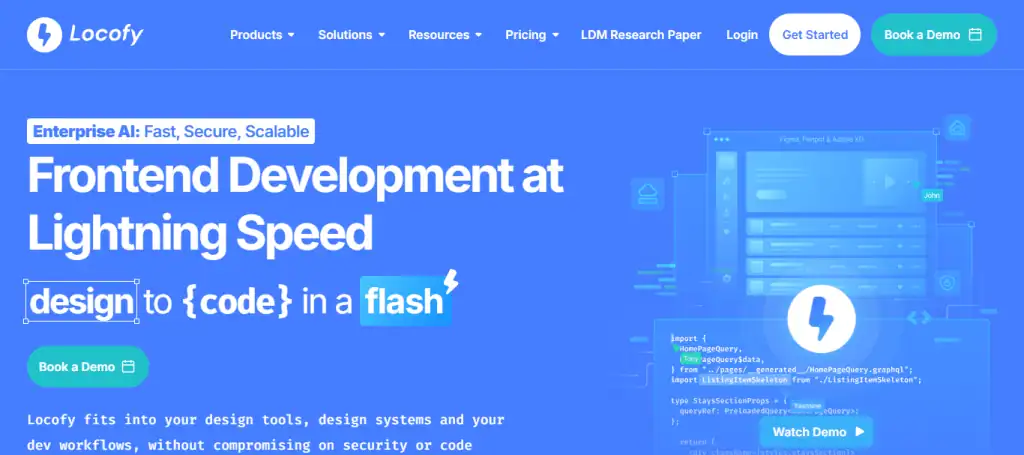
Locofy.ai specializes in converting Figma designs into production-ready front-end code. It focuses on scalability and clean, responsive layouts while offering WordPress-compatible export options.
Key Benefits
- Modern Code Generation: Exports React, Next.js, and HTML/CSS.
- WordPress Compatibility: Provides export options tailored for WordPress integration.
- Responsive Auto-Layout: Adapts designs seamlessly for all screen sizes.
- Scalable Output: Produces clean code suitable for small and enterprise-level websites.
- Best for Developers: Perfect for professionals who need high-quality, modern WordPress builds.
TeleportHQ
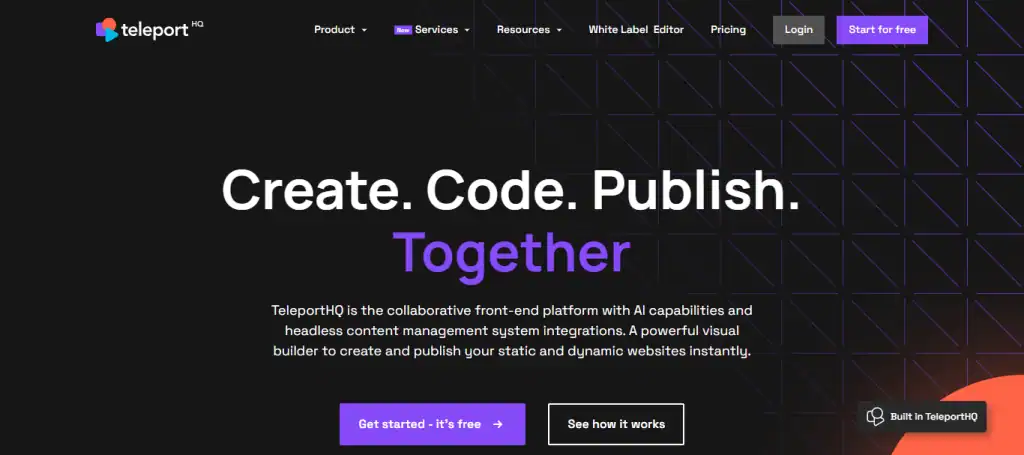
TeleportHQ is an AI-powered front-end platform that streamlines design-to-code workflows. It is built for teams and offers cloud-based collaboration and real-time WordPress-ready code generation.
Key Benefits
- Responsive Code Output: Generates HTML, CSS, and JavaScript from Figma designs.
- Framework Integration: Works with page builders and modern frameworks.
- Cloud Collaboration: Enables remote teams to manage and edit projects in real time.
- Seamless Team Features: Ensures designers and developers stay aligned during projects.
- Ideal for Agencies: Best suited for distributed teams working on WordPress websites together.
How to Choose the Right AI Code Generator for Your WordPress Projects?
Selecting the right AI code generator for Figma to WordPress conversion can feel overwhelming, especially with so many options available. The right tool depends on your project size, budget, and technical requirements. Here are a few factors to help you make a confident decision.
- Evaluate Project Complexity: A basic tool with quick code generation may be enough for simple websites. However, for larger projects with advanced needs, choose platforms that support scalability and custom features.
- Check Compatibility with WordPress: Not all tools are equally optimized for WordPress. Look for those that generate clean, WordPress-specific code and integrate seamlessly with page builders like Elementor or Gutenberg.
- Consider Pricing Plans: Free plans usually provide limited features, while paid versions or pro plans unlock advanced options. Match the pricing to your budget and long-term needs.
- Review Team and Collaboration Features: If you work in a team, tools with project management and collaboration features are essential for smooth workflows.
- Assess Learning Curve: Beginners may prefer user-friendly platforms, while advanced users can benefit from coding flexibility and IDE integration.
By weighing these factors, you can select a tool that aligns with your workflow and ensures a smooth development process.
Future of AI in Figma to WordPress Conversion
AI is rapidly transforming web development, and its role in Figma to WordPress conversion is only expected to grow stronger. As businesses demand faster, smarter, and more customized websites, AI-powered tools will continue to evolve, offering even greater possibilities for developers and designers.
- Smarter Code Generation: In the near future, AI tools will be able to generate not just basic code but highly optimized, semantic, and WordPress-specific code that reduces manual adjustments.
- Deeper Integration with WordPress: AI platforms are likely to integrate more seamlessly with block editors, plugins, and custom features, making the coding process more automated and efficient.
- Improved Collaboration: With remote teams on the rise, AI will enhance project management and collaboration, allowing designers, developers, and clients to work together in real time.
- Personalized Development Workflows: AI will adapt to user behavior, providing tailored code suggestions, reusable code snippets, and recommendations for improving the WordPress workflow.
- Bridging Beginners and Experts: AI will empower beginners with easy-to-use tools while offering advanced users more customization and control over the development process.
Ultimately, AI promises a future where Figma to WordPress conversion is faster, more reliable, and more creative than ever before.
Conclusion
The demand for faster, error-free, and SEO-optimized websites is higher than ever. Converting Figma designs to WordPress manually is time-consuming, but AI code generator tools are changing the game. They not only speed up the process but also ensure clean, responsive, and high-quality code.
From tools like Elementor with AI integration for easy drag-and-drop page creation to platforms like Locofy.ai and TeleportHQ for advanced development workflows, these solutions cater to freelancers, agencies, and large teams alike.
By adopting the right AI-powered tool, developers and designers can streamline their workflow, boost productivity, and deliver stunning WordPress websites with ease.
FAQs About AI Tools for WordPress Conversion
Can AI tools maintain code quality when converting Figma to WordPress?
Yes, AI tools focus on generating clean and structured code quality that ensures responsive layouts and optimized websites.
Do these tools generate code for WordPress block editors?
Most AI platforms can generate code compatible with the WordPress block editor, making it easy to design and customize pages.
What basic features do free plan users get?
A free plan typically offers basic features such as limited exports, starter templates, and essential design-to-code conversions.
Can I add code snippets or get code suggestions during the coding process?
Yes, many AI tools provide smart code snippets and code suggestions to simplify the coding process and speed up WordPress workflow.
Are custom features and multiple programming languages supported?
Advanced users alike can benefit, as most tools support programming languages like HTML, CSS, and JavaScript while offering custom features.
Do these tools allow seamless integration with WordPress-specific workflows?
Yes, they are built for seamless integration into WordPress-specific workflows, supporting both individual developers and team features.
What’s the difference between free and paid versions?
While free plans cover basics, paid versions or a pro plan include advanced users’ options, custom exports, and access to a support team throughout the development process.