

In this ultimate showdown, we’ll dive deep into AVIF vs WebP, exploring their differences, advantages, and ideal use cases.
Images play a huge role in how we experience the web. Whether it’s a business website, an eCommerce store, or a fashion blog, visuals help tell your story and engage users. However, high-quality images often come with a cost, i.e., slow loading times. That’s where next-gen image formats like AVIF and WebP come in.
These two formats promise faster load speeds, reduced bandwidth usage, and improved performance. But how do they compare? Which one should you choose for your website? Read to find out!
What is AVIF Image Format?
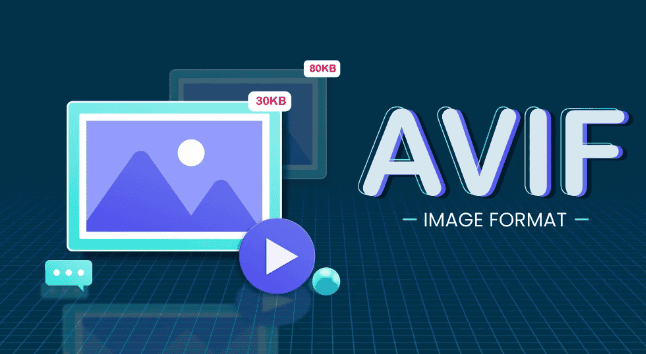
AVIF stands for AV1 Image File Format. It’s a relatively new image format developed by the Alliance for Open Media, which is the same group behind the AV1 video codec. AVIF compresses images using AV1 technology, thereby allowing for high-quality visuals at a much smaller file size.
Key Features of AVIF
Let’s take a closer look at what makes AVIF a versatile image format without sacrificing image quality.
- Superior Compression Efficiency: One of the biggest advantages of AVIF is its ability to compress images more efficiently than older formats like JPEG or even WebP. It results in smaller file sizes without a noticeable loss in visual quality. This advanced compression technique leads to quicker load times, reduced bandwidth usage, and a better overall user experience.
- Support for HDR and 10-Bit Color: Unlike most traditional formats, AVIF supports High Dynamic Range (HDR) and 10-bit color depth which allows for smoother gradients, more accurate color representation, and richer visuals. This makes it ideal for photographers, designers, and anyone working with detailed or color-sensitive images.
- Transparency and Animation Capabilities: AVIF supports both alpha transparency (like PNG) and animated images (like GIF). So, you can use transparent or animated visuals while keeping the file size significantly smaller. This image data quality is a game-changer for creating lightweight, visually dynamic websites.
- Royalty-Free Format: AVIF is completely open-source and royalty-free, developed by the Alliance for Open Media. So, you can use it freely in commercial and non-commercial projects without worrying about licensing fees or legal restrictions. This makes it a cost-effective solution for developers and businesses alike.
Read more: WebP vs JPG
What is WebP Image Format?
WebP is a modern image format developed by Google. It has been around since 2010 and is widely supported across browsers and platforms. WebP balances image quality and file size and reduces images by up to 30% more than JPEGs.

Key Features of WebP
Below are the standout features that make WebP a solid choice for most websites requiring good image quality.
- Efficient Compression: WebP supports both lossy and lossless compression, giving you flexibility based on your needs. Lossy compression significantly reduces file size with minor quality loss, so it is perfect for large image libraries. Meanwhile, lossless compression preserves image quality while still offering smaller file sizes compared to formats like PNG or JPEG images.
- Transparency and Animation Support: WebP isn’t just about smaller static images. It also supports alpha transparency and basic animations.The benefit? You can replace heavier formats like PNG and GIF with lighter WebP alternatives, leading to faster page loads and a smoother user experience, especially on mobile devices.
- Widespread Browser Compatibility: WebP is supported by all major browsers, including Chrome, Firefox, Safari, Edge, and Opera. This means you don’t have to worry about whether your users will be able to view your images. It works on all; desktop, mobile, and even most modern CMS platforms.
- Faster Load Times Compared to Traditional Formats: Thanks to its optimized file sizes and efficient decoding, WebP delivers quicker loading speeds than older image formats. Faster-loading images can help improve your Core Web Vitals, enhance user experience, and contribute to better SEO rankings.
Know the Difference: JPEG vs JPG
AVIF vs WebP: Head-to-Head Comparison
Let’s break it down with a feature-by-feature comparison.
| Features | AVIF | WebP |
| Compression Efficiency | Higher (better quality at smaller size) | Lower (but still better than JPEG/PNG) |
| Image Quality | Excellent (especially in low bitrates) | Good |
| Transparency | Yes | Yes |
| Animation Support | Yes (limited support) | Yes |
| Browser Support | Growing (Chrome, Firefox, Safari 16+) | Widespread |
| Loading Time | Slightly slower (due to decoding complexity) | Faster |
| File Size | Smaller | Larger (than AVIF, but smaller than JPEG) |
| Color Depth | 8-bit & 10-bit | 8-bit |
| Support for HDR | Yes | No |
AVIF vs WebP Performance: Which Format is Faster?
In real-world tests, AVIF images are often 50% smaller than equivalent WebP images. That means faster loading times in theory. But there’s a catch.
Because AVIF files are more complex, decoding them takes longer on some browsers. So, while you get smaller files, they might take a few extra milliseconds to render, especially on older devices or slower connections.
On the flip side, WebP offers faster decoding, making it more reliable for performance-critical applications like eCommerce or news websites.
Tip: Use WebP for fast decoding and broad support. Use AVIF when image size matters more and your users are mostly on modern browsers.
WebP vs AVIF Compatibility: Which Format Works Everywhere?
Compatibility is key when choosing an image format.
- WebP is supported by all major browsers, including Chrome, Firefox, Edge, Opera, and Safari (since version 14).
- AVIF is newer but quickly gaining traction. Chrome, Firefox, and Safari (16 and above) support it. But older browsers won’t display AVIF images properly without fallbacks.
Pro Tip: Use both AVIF and WebP with proper fallbacks. Serve AVIF first, then WebP, and finally JPEG/PNG as the last resort. This ensures maximum compatibility and performance.
Find out: How to Ensure Cross-Browser Compatibility During Figma to WordPress Conversions
AVIF vs WebP: When to Use Which Image File Format
Choosing between AVIF and WebP comes down to your specific needs, which is performance, compatibility, image quality, and target audience. While both formats are excellent for modern websites, each shines in different use cases. So, let’s break it down so you can decide what works best for your site.
Use AVIF If
You want the smallest possible file size. AVIF provides superior compression, producing significantly smaller files than WebP, JPEG, or PNG. This means faster load times and less bandwidth consumption, which is perfect for performance-focused sites.
- Your Website Has Lots of Images: If you’re running a photography blog, design portfolio, or media-rich eCommerce store, AVIF helps you optimize hundreds of images without sacrificing quality. It reduces server strain and boosts loading speed for image-heavy pages.
- Your Audience Uses Modern Browsers: AVIF is still gaining browser support, so it’s best for audiences that use up-to-date browsers like Chrome, Firefox, and Safari 16+. Before you use this image file, check your site analytics to confirm what browsers your visitors use.
- You Need HDR or 10-Bit Color Support: AVIF supports High Dynamic Range and 10-bit color. It delivers richer tones and smoother gradients, which is ideal for industries like fashion, product design, and digital art, where color accuracy matters.
Learn more: Best Font for Coding in Your Figma to WordPress
Use WebP If
You need broader compatibility. WebP is supported across virtually all modern browsers, including many older versions. So, if compatibility is your top priority, WebP is the safer bet for now.
- You Want a Balance Between Quality and Speed: WebP delivers a solid mix of small file size and fast decoding speed, making it a great middle-ground option. This is especially helpful if your audience uses a wide range of devices and connection speeds.
- Your Users Are on a Mix of New and Old Browsers: If your traffic includes users on legacy browsers or older devices, WebP ensures consistent image rendering across the board.
- You Need Quick, Reliable Performance on Mobile: WebP decodes faster than AVIF, which can improve performance on lower-end smartphones or slow networks. For mobile-first designs, WebP keeps things smooth and snappy.
Check out: How to Design Brain-to-text Interfaces in Figma and Convert it to WordPress
How to Implement AVIF and WebP on Your Site?
Switching to AVIF and WebP formats can drastically improve your site’s speed and performance. But implementation matters. Whether you’re a developer or using a CMS like WordPress, there are simple ways to get started. Here’s a step-by-step guide to help you integrate these modern image formats efficiently.
Convert Your Images to AVIF and WebP
Before you can use AVIF or WebP, you need to convert your existing images. Fortunately, there are several easy-to-use tools available.
- Squoosh: A free online tool by Google that allows you to convert images to AVIF, WebP, and more. It also provides real-time previews and compression controls.
- ImageMagick: This image conversion tool is ideal for developers and advanced users. It is a command-line tool that supports batch conversion and is excellent for large-scale image libraries.
- CloudConvert: This is a browser-based service that converts images into AVIF or WebP with just a few clicks. No installation required.
Serve Multiple Image Formats for Compatibility
Not all browsers support AVIF yet, so it’s smart to serve different formats based on browser capability. The best way to do this is by using the HTML <picture> element.
<picture>
  <source srcset="image.avif" type="image/avif">
  <source srcset="image.webp" type="image/webp">
  <img src="image.jpg" alt="Example image">
</picture>
How it Works: The browser picks the first supported format. If it supports AVIF, it loads that version. If not, it falls back to WebP or JPEG.
Result: Your site remains compatible across all devices and browsers without sacrificing performance.
Use a CDN or Optimization Plugin
If you’re using a content management system like WordPress, you don’t need to do everything manually. Image optimization plugins and CDNs can automate the entire process.
For WordPress Sites: You can use the following tools and plugins for WordPress image optimization:
- ShortPixel: This tool compresses and converts images to WebP/AVIF automatically.
- Imagify: It offers one-click optimization and support for next-gen formats.
- Smush: Widely popular and beginner-friendly, it helps convert and serve WebP with ease.
SEO Benefits of AVIF and WebP
Modern image formats like AVIF and WebP do more than just save space; they directly impact your site’s SEO performance. With Google’s increasing focus on page speed and user experience, using these image formats can give your rankings a noticeable boost. Let’s explore how they help.
Improved Core Web Vitals
Google’s Core Web Vitals are key performance indicators that influence your search visibility. AVIF and WebP directly enhance:
- Largest Contentful Paint (LCP): Since images often account for the largest visible element on a page, smaller, faster-loading formats help reduce LCP time.
- First Input Delay (FID): Lighter pages mean faster browser response times, leading to smoother interactions and better FID scores.
Bottom line? Faster rendering of images leads to higher user satisfaction and stronger SEO signals.
Lower Bounce Rates
Slow-loading pages frustrate users, especially on mobile. When your site loads quickly thanks to AVIF or WebP images, visitors are more likely to stay and engage.
- Faster load = happier users.
- Happier users = lower bounce rate.
And since Google tracks user behavior as part of its ranking algorithm, reducing the bounce rate can work in your favor.
Enhanced Mobile Experience
Mobile-first indexing is now the norm. AVIF and WebP make your site mobile-friendly by reducing image sizes without compromising quality.
- This is especially important for:
- Users on slow or limited data networks.
- Devices with smaller storage and processing power.
Result: A smooth mobile experience that satisfies both users and search engines.
Reduced Bandwidth and Server Load
Smaller image files mean less data to transfer and process. This benefits your website in several ways:
- Faster page delivery from the server.
- Lower hosting and bandwidth costs.
- Improved scalability during traffic spikes.
Bonus: A leaner site architecture that search engine crawlers can index more efficiently.
Final Thoughts: Which Format Should You Choose?
In the AVIF vs WebP showdown, there’s no single winner. Each format shines in different scenarios.
- Choose AVIF if your priority is file size and quality.
- Stick with WebP if you want better compatibility and fast decoding.
Or better yet, use both image formats with proper fallbacks. This way, you get the best of both worlds: crisp images and fast load times, all while keeping your site SEO-friendly. In the end, optimizing images is not just a technical task; it’s a user experience and SEO game-changer. So, make the smart move today, and give your visuals the speed boost they deserve.
AVIF vs WebP About FAQs
Is AVIF better than WebP?
In terms of compression and image quality, yes AVIF is better. But, WebP still wins in terms of browser support and decoding speed.
Can I use both AVIF and WebP?
Absolutely, you can use AVIF and WebP. It’s also a best practice to serve AVIF with WebP as a fallback. This ensures optimal performance and compatibility.
Are AVIF and WebP supported in WordPress?
Yes, they are. Many image WordPress optimization plugins support both formats. Just ensure your theme and hosting provider allow serving modern formats.
Do AVIF and WebP support transparency and animation?
Yes, both AVIF and WebP support transparency and animation. However, while AVIF has better compression for animations, it might not be supported by all browsers.
Will using these formats improve my SEO?
Yes, using these formats can improve your site’s SEO. Since these image formats offer faster load times and better user experience, they can lead to higher rankings and better engagement.



