

Did you know that the font you choose for coding can make a world of difference in your productivity? It’s true! Picking the best font for coding can greatly enhance clarity and reduce eye strain, turning hours of coding and debugging into a more enjoyable experience.
In this article, we’ll chat about what makes a good coding font, share some top picks loved by developers for Figma to WordPress projects, and offer tips on how to choose and install the best font for your setup. Let’s dive in and find the perfect font for you!
Importance of Coding in Figma to WordPress Projects
Converting designs from Figma to WordPress is a critical step in web development that ensures both visual and functional intent are preserved. Coding plays a significant role in this process, bridging the gap between design concepts and interactive web experiences.
Key Aspects
- Design Fidelity: Coding ensures that the website layout matches the original Figma designs precisely, preserving the designer’s vision in the final product.
- Responsive Design: You can implement responsive design techniques through coding, ensuring the site looks great on various devices and screen sizes.
- Interactivity: Coding allows you to add interactive elements that enhance user experience, transforming static design elements into clickable, responsive components.
- SEO and Performance Optimization: Proper coding practices can enhance site performance and search engine optimization, ensuring the website is fast, accessible, and easily discoverable.
- Customization and Scalability: Coding provides the flexibility to customize features and scale the project according to evolving business needs and objectives.
Read: How to Design Landing Pages in Figma and Launch Them on WordPress
What Makes a Good Coding Font?
A good coding font must meet several criteria to support an enjoyable coding experience. At its core, the font should be monospaced, meaning all characters occupy the same horizontal space. This uniformity aligns code neatly, making it easier to follow complex logic structures.
Clear and easily distinguishable characters are another essential feature. In programming, where you frequently encounter similar looking symbols, it’s vital that characters like “O” (oh) and “0” (zero), or “1” (one) and “l” (lowercase L) are distinguishable at a glance.
Good readability across different font sizes is important as well. A coding font should maintain its legibility whether displayed on a large monitor or a smaller laptop screen. Additionally, support for a wide range of programming languages and symbols ensures that the font remains versatile and accommodates various syntax needs.
One often underestimated aspect of a good coding font is its aesthetics. While functionality is key, a visually pleasing font can enhance user satisfaction and motivation. Ultimately, the best font for coding can improve not only readability and comfort but also productivity.
Learn: Pros and Cons of Using Page Builders in Figma to WordPress Conversion
Default Font for Coding
When you first fire up a code editor, it comes with a default font already set. These fonts are chosen for their legibility and versatility, and they work well for most developers. However, there’s a whole world of specialized fonts out there that can offer even better comfort and efficiency.
Default Programming Font Choices:
- Courier New: A classic option known for its simplicity and standard monospacing.
- Consolas: Modern and clean, Consolas is one of the best programming fonts favored for its readability and crisp characters.
- Menlo: Particularly popular on macOS, Menlo provides a balanced look with excellent clarity.
Exploring these default options is a great start, but don’t shy away from experimenting with other highly-regarded coding fonts for a potential boost in your coding experience.
Top 15 Free Programming Fonts for Figma to WordPress
Here’s a list of top free fonts that many developers swear by, each offering unique features to enhance your programming environment:
1. Fira Code
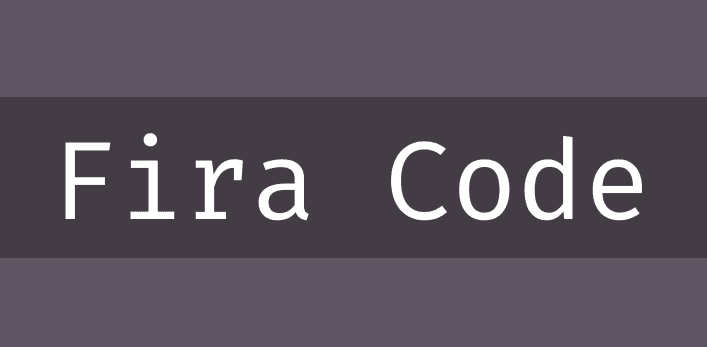
Fira Code is known for its ligatures, which transform common character sequences into single, stylish symbols. These ligatures not only enhance the aesthetic appeal but also significantly improve readability and comprehension. By merging characters like “==”, “=>”, and “!=” into cohesive symbols, Fira Code allows developers to quickly parse through complex code with ease. This makes it a highly conducive choice for those looking to boost their coding efficiency and visual clarity.
2. DejaVu Sans Mono
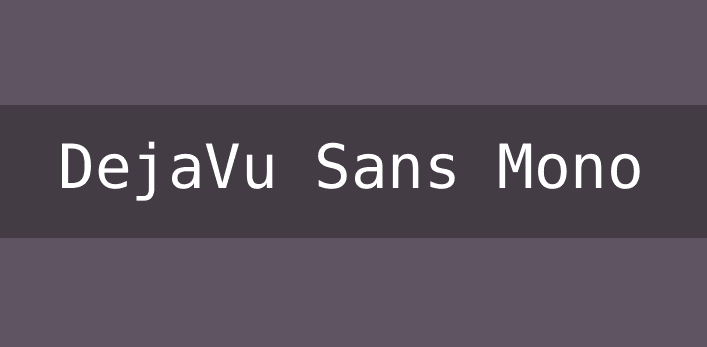
DejaVu Sans Mono is one of the best fonts for coding and excels in distinguishing between similar-looking characters, which helps reduce coding errors caused by visual confusion. Its extensive character set includes Greek and Thai symbols, making it suitable for developers working with international text and varied symbols. The font’s clear design also ensures that even the most intricate lines of code remain legible, aiding in both readability and comprehension.
3. Cascadia Code Free Font for Coding
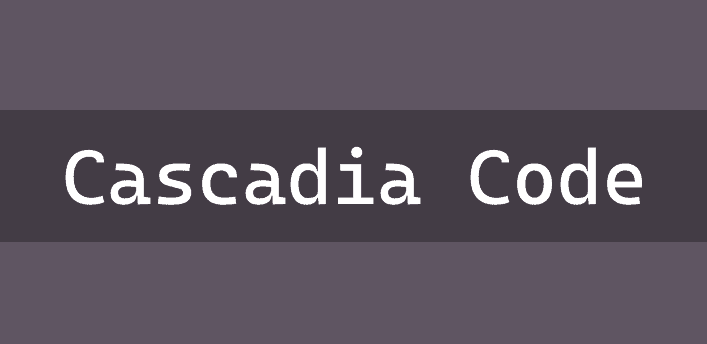
Crafted by Microsoft, Cascadia Code is renowned for its legibility and adaptability across various screens and coding environments. This open-source font supports a wide array of characters and features, including ligatures, enhancing the reading experience by simplifying complex symbol combinations. Cascadia Code’s sleek appearance, combined with its practical features, makes it a versatile choice for developers looking to maintain clarity and style in their code.
Know more: WordPress Website Redesigns Made Easy Using Figma
4. Proggy Clean Fonts
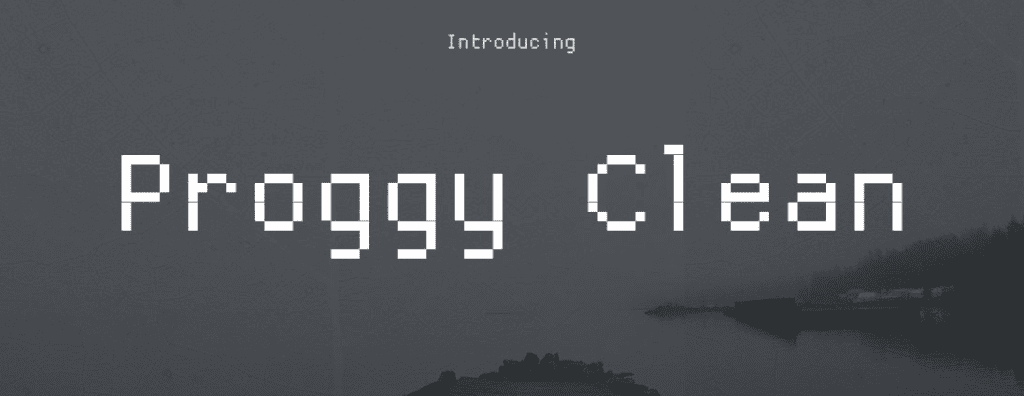
Proggy Fonts is the go to programming font among developers who prioritize pixel precision. These fonts offer compact and clear visuals, focusing on character clarity within constrained spaces. Perfect for those with limited screen real estate or working in terminal windows, Proggy Fonts ensure that every character is crisply rendered, aiding in quick identification and reducing eye strain during extended coding sessions. They are ideal for programmers who demand the utmost precision.
5. Source Code Pro Font Free by Adobe
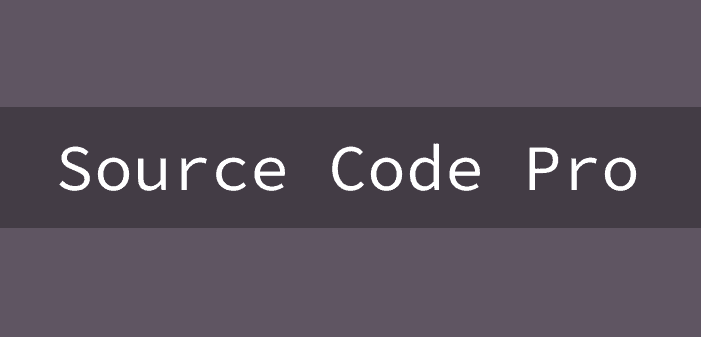
Developed by Adobe, Source Code Pro combines style with functionality, offering excellent readability through its balanced design. The font retains a modern twist while ensuring that each character is distinct and easily identifiable. It’s especially beneficial for coders who enjoy an aesthetically pleasing workspace without compromising usability. The font’s refined appearance caters to both the visual appeal and practical needs of developers, making it a preferred choice.
6. Dina
Dina is a lightweight font that strongly emphasizes clarity, making it a popular choice for those who favor a simple, clean look during long coding sessions. Its design ensures characters are easily distinguishable, helping minimize eye fatigue over extended periods. This no-nonsense font delivers just what developers need: a straightforward, effective tool that enhances the readability of code without any unnecessary distractions.
Find out: Top Benefits of Using Figma for WordPress Web Design
7. Terminus
Specifically tailored for programming, Terminus stands out with its exceptionally high readability and comprehensive set of technical symbols crucial for developers. Its straightforward, blocky characters provide clarity and comfort during prolonged periods of coding. Terminus is particularly favored in environments where clarity and consistency are paramount, helping programmers navigate and manage complex codebases more effectively with minimal errors.
8. Input

The Input font family offers extensive customization options, allowing developers to adjust aspect ratios, weights, and styles to perfectly match their aesthetic and functional needs. This flexibility makes Input a superb choice for those who like to personalize their coding environment. Its inherent focus on readability ensures that no matter how it’s styled, Input remains clear and easy to read, aiding developers in maintaining focus and efficiency.
9. Hack

Hack is a modern reinterpretation of traditional monospace fonts, offering enhanced readability through clear glyph distinctions and a detailed symbol set. This font minimizes ambiguity between similar characters, making it an excellent choice for developers who work with intricate and detailed code. Hack’s commitment to clarity and functionality also ensures that it meets the demands of intensive coding sessions while providing a sleek, modern aesthetic.
Read: Unlimited Figma to WordPress Conversions for Busy Digital Agencies
10. Ubuntu Mono Font

Developed for the Ubuntu operating system, Ubuntu Mono provides a smooth reading experience with its distinct and legible characters. This font is part of the Ubuntu Font Family and offers a balance of practicality and style, with each letterform carefully crafted to ensure clarity. It’s especially popular among open-source enthusiasts and Linux users due to its seamless integration with various programming tools and environments.
11. JetBrains Mono

Specifically created for developers, JetBrains Mono features a tall x-height, making lowercase characters more prominent and easier to read. The font includes ligatures and optimized character spacing, enhancing the coding workflow by improving readability and aesthetics. JetBrains Mono’s design focuses on reducing eye strain during extensive coding periods, ensuring that developers can maintain focus and productivity without sacrificing comfort or the visual quality of their code.
12. Iosevka

Iosevka is a highly versatile typeface that can be extensively customized to suit a wide range of aesthetic and clarity needs. It offers numerous styles and weights, allowing developers to tailor its appearance to their specific preferences. Iosevka’s design prioritizes readability and consistency, making it an excellent choice for those seeking functionality and personalization in their coding font.
13. Anonymous Pro Font Free

Anonymous Pro is renowned for its simple design and clear character separation, creating an environment where code is easily skimmable. This font is designed to minimize visual clutter, allowing developers to focus on the code rather than the font. Its clean, minimalist approach enhances readability and provides a stress-free coding experience, making it ideal for those who prefer uncomplicated fonts in their programming environment.
Check out: How to Design Landing Pages in Figma and Launch Them on WordPress
14. Bitstream Vera Sans Mono

Bitstream Vera Sans Mono offers exceptional clarity and is lauded for its highly readable forms. As a classic choice among developers, this font ensures each character is distinct, reducing potential coding errors. Its comprehensive support for various glyphs and symbols makes Bitstream Vera Sans Mono a reliable choice for those seeking a no-frills font that prioritizes readability and precision in any programming task.
15. Victor Mono

Victor Mono stands out with its inclusion of stylish ligatures and italic styles, offering a modern and visually appealing look without sacrificing readability. Its design caters to developers who appreciate both aesthetics and functionality, ensuring that code remains effortlessly readable. Victor Mono’s unique combination of ligature support and elegance makes it an attractive option for those who wish to enhance their coding environment’s visual appeal while maintaining clarity.
16. IBM Plex Mono

IBM Plex Mono, developed by IBM, is a monospaced font that combines a modern aesthetic with functional clarity. Its design ensures that each character is distinct, making it easy to read across a variety of font sizes. This versatility makes it an excellent choice for developers working on different platforms and screen sizes. IBM Plex Mono offers comprehensive character support, ensuring it remains clear on both a large monitor and a compact laptop screen.
Check out: Figma to WordPress Solutions for Online Stores
How to Choose the Best Font for Coding?
Selecting the ideal programming font is a highly personal task that can significantly impact your coding experience. As such, several key factors must be considered to find the perfect fit.
Key Considerations
- Legibility: Ensure the font is clear and characters are easily distinguishable.
- Readability: Choose a font that remains comfortable on the eyes during long coding sessions.
- Aesthetics: Pick a font that appeals to your personal style preferences.
- Language Support: Make sure the font accommodates the programming languages and symbols you frequently use.
- Experimentation: Test various fonts and sizes to discover which combinations feel best for extended periods of use.
Know more: Key Factors Influencing Your Figma to WordPress Conversion Costs
Installing and Using a Coding Font
Switching to a new coding font can enhance your development environment, improving readability and comfort. Follow these steps to install and use a new font in your coding setup.
Download the Font File: Start by selecting a font from a reputable online source. Websites like Google Fonts or the font’s official site are good places to find safe downloads. Save the font files to a known location on your computer.
Install the Font: On Windows, navigate to the downloaded font file, right-click on it, and select “Install.” This process will add the font to your system’s font repository. On macOS, double-click the font file, then click “Install Font” in the preview window that appears. This action copies the font into your system’s Font Book.
On Linux, you can use tools like FontBase to manage your fonts or manually copy the font file into your ~/.fonts directory. To ensure the system recognizes the new font, refresh your font cache using a command like fc-cache—fv.
Configure Your Code Editor: Open the settings in your code editor. Look for font or appearance settings where you can select a new font. Choose the newly installed font from the list of available options. Don’t forget to adjust font size and line height to match your comfort and readability preferences.
Check Compatibility: Ensure that the font you choose is compatible with both your operating system and code editor. Some fonts may not support the full range of characters or symbols needed for certain programming languages, so verify that your selected font meets these requirements.
To Sum Up
Selecting the right font for coding is not just about aesthetics—it’s about enhancing readability and boosting productivity. With the plethora of free and professional fonts for coding available, developers are empowered to choose a font that best suits their preferences and needs. Whether you prioritize ligatures, character distinction, or sheer aesthetics, the ideal font for coding can transform your coding experience.
FAQs About Best Font for Coding
Which is the best font for coding?
While “best” is subjective, many programmers favor Fira Code for its readability and ligatures.
What font is usually used for code?
Common defaults for coding include Consolas, Courier New, and Menlo. However, programmers often switch to fonts like Source Code Pro or JetBrains Mono for enhanced readability.
What are traditional monospaced fonts?
Traditional monospaced fonts, like Courier New and Consolas, are characterized by uniform character spacing, where each letter and symbol occupies the same horizontal space. This uniformity is ideal for coding, as it neatly aligns code and improves readability.
What is the optimal font size for coding?
A font size between 10-14 points is recommended, complemented by a line height of 1.2-1.5 times the font size for comfort and clarity.
What is the best font to use in VS Code?
Fira Code is popular among VS Code users due to its ligatures and clear character design, but VS Code supports a wide range of custom fonts to suit individual preferences.



