Ever wondered why designers get so fired up about their tools? Well, in the UI/UX design verse, Figma vs Sketch are like a standoff between Beatles and Rolling Stones of software, everyone’s got an opinion on which is better. But why compare these two specifically?
Both Figma and Sketch have revolutionized how we create digital designs. They’re powerful, user-friendly, and packed with features that make designers’ lives easier. But they also have some key differences that could make or break your workflow. Whether you’re a solo freelancer or part of a big design team, choosing between Figma and Sketch can seriously impact how you work and collaborate.
In this article, we’ll dive deep into what makes each tool tick. We’ll look at everything from how they handle basic design tasks to how well they play with others in a team setting. By the end, you’ll have a clear picture of which tool might be the best fit for your needs.
TL;DR: Figma vs Sketch
- Figma and Sketch are leading design tools, each with unique strengths.
- Figma is a cloud-based, browser-accessible tool, ideal for teams and remote work. Sketch is a Mac app, optimized for Apple’s ecosystem, working best offline.
- Figma excels in real-time collaboration, allowing simultaneous editing of Figma files. Sketch supports collaboration through Sketch Cloud but lacks real-time features.
- Both have rich plugin ecosystems, with Sketch offering extensive integration options, while Figma’s vector networks enable sophisticated design tasks.
- Figma offers a free plan for small teams, while Sketch provides a one-time purchase option and a subscription plan.
About Figma and Sketch
We begin by assessing the standalone strengths of Figma vs Sketch. Here are the two design software in a nutshell:
Figma
Figma is the new kid on the block that’s been making waves since 2016. It’s a cloud-based design tool that works right in your browser, making it super accessible no matter what computer you’re using.
Figma’s claim to fame is its real-time collaboration features, letting multiple designers work on the same file simultaneously.
Key Highlights:
- Cloud-Based Accessibility: Figma operates entirely online, meaning it runs directly in your web browser without the need for any installations. This flexibility allows it to function seamlessly across different operating systems, including Windows, macOS, and Linux.
- Real-Time Collaboration: Figma excels in real-time collaboration, enabling multiple designers to work on the same project simultaneously. This feature streamlines feedback and iteration processes, as team members can see changes live and communicate directly within the application.
- Built-in Prototyping and Developer Handoff: Figma provides integrated prototyping tools that enable you to create interactive prototypes directly from your design files. Additionally, it provides developer handoff tools, making it easier for developers to extract CSS code, color values, and assets, ensuring a smooth transition from design to development.
- Growing Library of Plugins and Community Resources: The Figma community is vibrant and continually expanding, contributing a diverse range of plugins that enhance Figma’s functionality. From automating tasks to enhancing design capabilities, these plugins help tailor the Figma experience to individual needs.
- Free Plan Available: Figma offers a free plan that includes essential features, making high-quality design tools accessible to a broader audience without a financial barrier.
Sketch
Sketch has been a favorite among designers since 2010, especially those in the Apple ecosystem. It’s a vector-based design tool built specifically for macOS, known for its clean interface and powerful features.

Sketch pioneered many of the concepts we now take for granted in UI design tools.
Key Highlights:
- Native macOS Application: Built exclusively for macOS, Sketch leverages Apple’s hardware and software capabilities to deliver a smooth and optimized user experience. This native integration helps in utilizing system resources efficiently.
- Extensive Plugin Ecosystem: Sketch boasts a robust plugin ecosystem that allows users to extend its capabilities beyond the built-in features. These plugins help automate repetitive tasks, add new functionalities, and integrate with other tools in the design and development workflow.
- Powerful Vector Editing Tools: As a vector-based design tool, Sketch provides precise vector editing capabilities ideal for creating scalable graphics and UI elements. Its intuitive vector tools make it easy to create complex shapes and designs.
- Symbols and Libraries for Efficient Design Systems: Sketch introduced symbols and shared libraries, which are now staples in UI design. Symbols allow designers to create reusable elements that can be updated globally, while libraries enable the sharing of consistent styles and components across different projects and teams.
- Collaboration Features Through Sketch Cloud: While Sketch is primarily a desktop application, it offers Sketch Cloud to facilitate sharing, version control, and collaboration. Teams can share designs for feedback or handoff through this cloud-based platform.
- One-Time Purchase Option: In addition to the subscription model, Sketch offers a one-time purchase option that appeals to users who prefer not to make ongoing payments. This flexibility enables users to select a payment model that best suits their needs.
Looking to Speed Up Your Figma to WordPress Conversions?
Our skilled designers specialize in converting your Figma designs to WordPress websites flawlessly, ensuring your designs maintain their integrity, all at an amazing price!
Figma vs Sketch: Performance and Features Comparison
Here is diving into the details of Figma vs Sketch, both leading tools that have shaped modern UI/UX design workflows.
1. Cloud-based Design vs Desktop-only
Figma is a web-based tool that offers cloud-based design capabilities, accessible through any browser, making it ideal for teams working remotely. This web application allows for real-time collaboration on the same document, with changes synced instantly across users.

Conversely, Sketch is a native app for macOS users, offering significant performance advantages for those within the Apple ecosystem. While Sketch users benefit from a more optimized desktop application, an internet connection isn’t always necessary, as it allows users to work offline, unlike Figma.
Read Another Comparison: Figma vs Canva
2. Figma vs Sketch: Pricing Plans
Pricing structures play a crucial role in selecting a design tool. Figma offers flexible pricing, including a free tier for small teams and individuals, with advanced features accessible through its paid plan.
In contrast, Sketch provides a one-time purchase option alongside a subscription model, catering to those who prefer fewer recurring costs. Both platforms provide tailored pricing to suit varying organizational budgets and needs, ensuring accessibility to key design features.
3. Drawing Tools and Interface
Both Figma and Sketch excel as UI design tools, but highlight differing strengths in drawing tools and interface design.
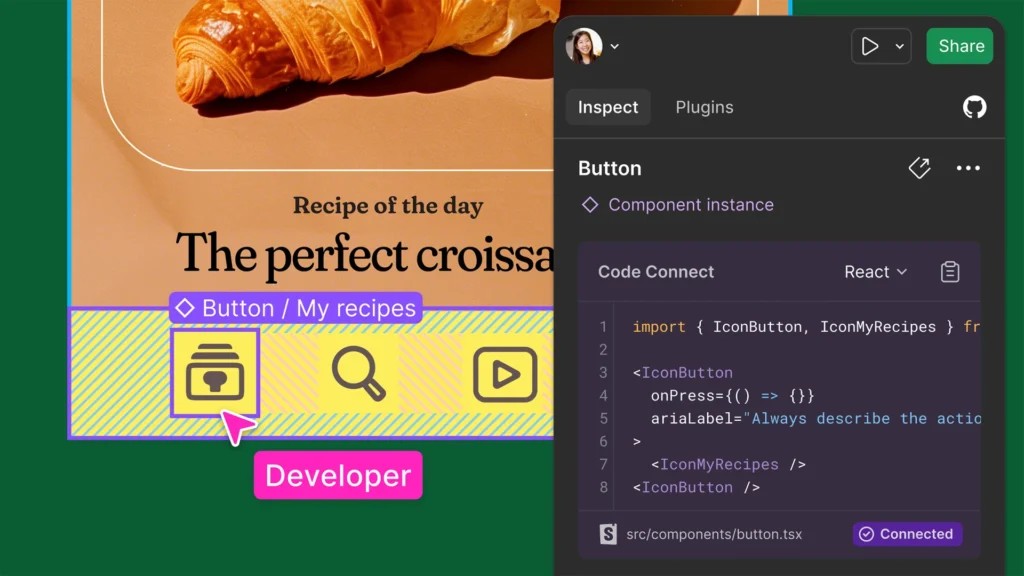
Figma’s browser-based, incredibly intuitive interface appeals to UI designers seeking an easy learning curve and robust support for design elements. Its export assets feature simplifies asset sharing.
Meanwhile, Sketch offers powerful third-party plugins and a clean, macOS-optimized user interface, favored by those integrating Sketch plugins into Adobe Photoshop workflows. The native app environment of Sketch facilitates the creation of intricate design projects with ease.
4. Figma and Sketch Team Collaboration
Figma stands as a beacon for teams, with its collaboration capabilities enabling remote teams to edit projects collaboratively in real-time. UI designers and web designers alike appreciate Figma’s synced web app and version history updates with just a few clicks.
Conversely, Sketch’s collaboration thrives through Sketch Cloud, where users can create links for shared reviews, though not in real-time. This difference is key when organizing teams, especially those who prioritize browsable version history and immediate editing access across all devices.
Start Converting from Figma: How to Convert Figma to Framer
5. Plugins and Add-ons
The plugin ecosystems of both Figma and Sketch play significant roles in their capabilities.
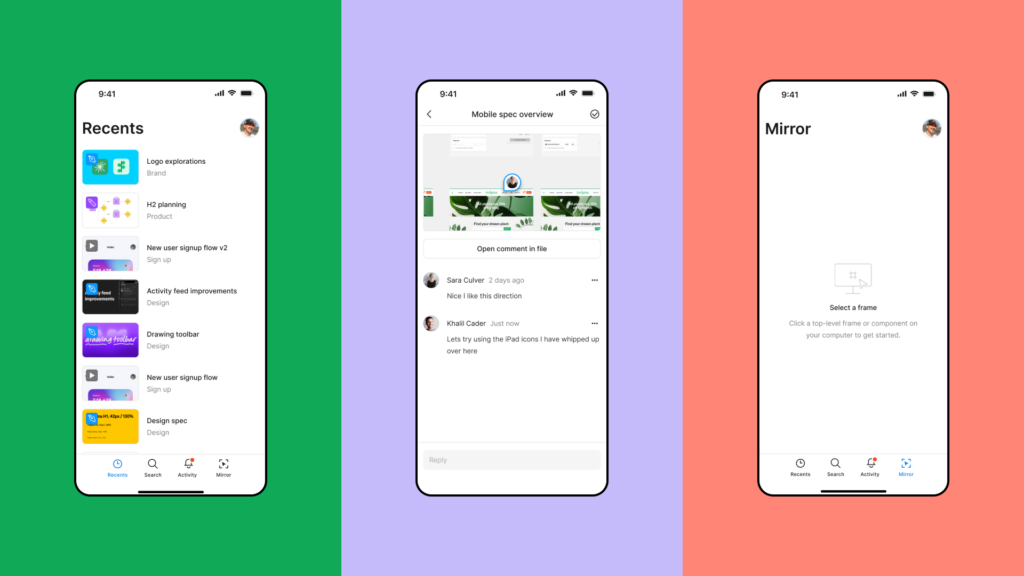
Figma’s growing list of third-party plugins and community resources provides versatile web inspector tools, expanding functionality dramatically for intricate tasks.
Meanwhile, Sketch’s extensive plugins enable users to efficiently connect multiple lines and enhance design efficiency, particularly valued by UX designers.
Both platforms continue to evolve with their plugins, supporting a broad spectrum of design needs from mobile app interfaces to complex web design projects, enhancing overall productivity.
Learn More: Best Figma to WordPress Conversion Tools
Verdict: Why Most Design Teams Choose Figma?
So, what’s the bottom line in this Figma vs Sketch showdown? Well, it depends on what you need and how you like to work.
Figma is the clear winner if you’re all about teamwork and flexibility. It lets you design from anywhere, and the real-time collaboration is a game-changer for many teams. Plus, the free plan is pretty generous if you’re just starting out or working on personal projects.
Let us break it down further:
- Collaboration: We believe in open communication, so we need real-time collaboration between multiple team members. Figma allows us to do that with as many coworkers as we need!
- Fast Design Tool: After multiple years of using Figma, we are getting to a point where we can create simple or high-definition wireframes. We can easily create UI guides with original style. Our team of amazing designers can even create complex design systems for specific products with in-depth style. Auto layout and symbol sharing are just the cherries on top!
- Prototyping & Developer Hand-Off: Remember when you had to create a design in Sketch (or sometimes even in Photoshop), then go to InVision to create a prototype, collect feedback, and iterate upon it. After all that, you’d still have to go to Zeplin to upload the fully approved project. With Figma, everything happens all at once.
- Community: Figma has a wonderful community of free plugins and a community space where everybody can share their designs, icons, illustrations, or whatever they like!
Sketch, on the other hand, might be your go-to if you’re a Mac user who prefers a traditional desktop app. It’s fast, familiar, and has a ton of plugins available. But remember, you’re tied to your Mac, which can be limiting if you need to work on different devices or with Windows users.
FAQs About Figma vs Sketch
Is Sketch still being used?
Yes, Sketch is still widely used, particularly among designers in the Apple ecosystem. Its Mac app offers powerful UI design capabilities and maintains a loyal user base, especially for creating and managing sketch files.
Can you convert Figma to Sketch?
While there’s no direct way to convert Figma files to Sketch files, you can use third-party tools or plugins designed to facilitate the transfer of design elements between these platforms, albeit with some limitations.
What is better, Figma or Adobe XD?
Both Figma and Adobe XD have their strengths. Figma excels in real-time collaboration and vector networks, making it ideal for teams. In contrast, Adobe XD offers seamless integration with other Adobe products.
What is the best alternative to Figma?
The best alternative to Figma depends on your needs. Sketch is an excellent choice if you’re looking for a macOS-specific tool, while Adobe XD offers a robust new tool for those integrated into the Adobe ecosystem.
Does Figma work offline?
Figma primarily operates as a web-based application, requiring internet access. However, Figma’s version with offline capabilities is limited compared to Sketch’s native desktop applications.
Is there a learning curve with Figma?
Yes, like any new tool, Figma has a learning curve. However, its interface is designed to be user-friendly, easing the transition for new users.
Can Sketch and Figma be used together?
Yes, designers often use both Sketch and Figma in their workflows. The combination of Sketch’s vector editing power and Figma’s collaboration features is highly valued.