User-centric design is crucial for creating WordPress websites that meet the needs and expectations of users. By focusing on the user’s perspective, designers can enhance usability and engagement. To accomplish this, using tools like Figma for design and prototyping can greatly enhance the collaboration between designers, developers, and stakeholders.
Consequently, designers can integrate user feedback early in the process, ensuring the final product resonates with its audience. Through iterative testing and feedback loops, user-centric design not only improves functionality but also elevates the overall user experience. Thus, employing Figma for effective user testing is vital for developing intuitive and engaging WordPress sites.
What is User-Centric Design and Why is it Important for WordPress Sites?
User-centric design focuses on understanding and addressing the end-users’ needs, preferences, and limitations at every stage of the website design process. When applied to WordPress websites, this approach plays a crucial role in crafting interfaces that are not only visually appealing but also intuitive and easy to navigate. By prioritizing the user experience (UX), web designers can create websites that feel natural and responsive to the user’s expectations.

Central to user-centric design is the incorporation of direct user feedback. This feedback loop allows designers to identify and address pain points, leading to continuous refinement and improvement of the website. By consistently adapting the design based on real user insights, the website remains relevant, functional, and aligned with the evolving expectations of its audience. Key benefits of user-centric design include:
- Enhances User Satisfaction and Engagement: By tailoring the website to the user’s needs, visitors are more likely to find what they are looking for quickly. This can increase overall satisfaction and encourage longer site visits and repeat interactions.
- Increases Usability and Accessibility: Designing with usability in mind ensures that all users, including those with disabilities, can navigate and interact with the site effortlessly. This broadens the potential audience and improves the overall user experience.
- Ensures the Site Meets Core User Need: A user-centric approach ensures that the primary functionalities and offerings of the site align closely with what the users are seeking. Thus, reducing friction and enhancing the likelihood of achieving desired outcomes, such as conversions or engagements.
From Figma to WordPress: Designing Delight with Every Click!
Let us guide you through seamless design-to-development transitions, ensuring your website is both visually stunning and functionally engaging.
Crafting Intuitive WordPress Interfaces with Figma’s Collaboration Tools
Figma stands out as a pivotal tool for creating WordPress design elements. It offers a suite of collaboration features that streamline the web design process. Here are the advantages of Figma in WordPress design:
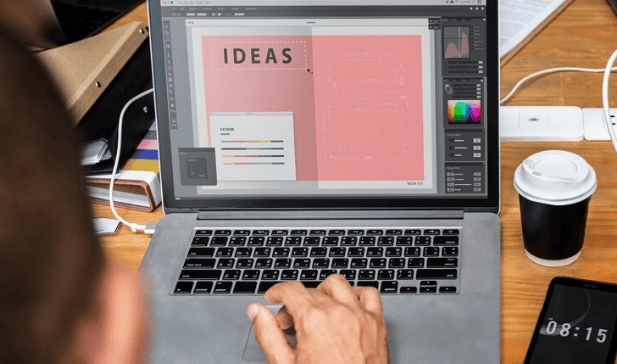
- Real-time Collaboration Enhances Teamwork: Figma’s cloud-based platform allows multiple team members to work on a design simultaneously, regardless of their physical location. This capability promotes a more interactive and cohesive design process, as team members can view changes in real-time, participate in discussions, and provide immediate feedback.
- Dynamic Prototyping Enables User Feedback Integration: With Figma’s prototyping features, web designers can create highly interactive and realistic prototypes that emulate the final product’s user experience. This capability allows for early and frequent user testing, enabling the integration of user feedback into the design process. As a result, designers can identify and address potential usability issues early, paving the way for a design that meets users’ needs and expectations.
- Seamless Transition from Design to Development: Figma streamlines the design-to-development handoff process by generating design specifications, exporting assets, and providing CSS code snippets directly from the design files. This seamless transition reduces the risks of miscommunication and ensures that the developers can easily implement the design as intended.
Read: Best Prototyping Tools for UI/UX Designers
The Role of User Feedback in Informing Design Decisions
User feedback is invaluable in guiding the design choices for your WordPress site. It offers insights into how users interact with your site, highlighting areas for improvement and enabling data-driven decisions.

- Identify Usability Issues Early: User feedback helps uncover potential problems that users face while navigating the site. Thereby, allowing web designers to address these issues before they become significant impediments.
- Direct Design Improvements: Insights from user feedback guide enhancements and refinements in the design. This ensures that the site evolves in a user-friendly and intuitive manner.
- Ensures User Needs Are Continuously Met: Regular integration of user feedback ensures that the site remains aligned with evolving user expectations and requirements, maintaining its relevance and effectiveness.
Effective feedback loops, supported by continuous user testing, are essential for achieving an optimized and user-centered experience on WordPress sites.
Setting Up Your Figma Prototypes for User Testing
To gather user feedback, setting up your Figma prototypes properly is essential. This includes crafting prototypes that replicate the user experience authentically, with clear navigation and functionalities. Here is a brief on some of the best practices:
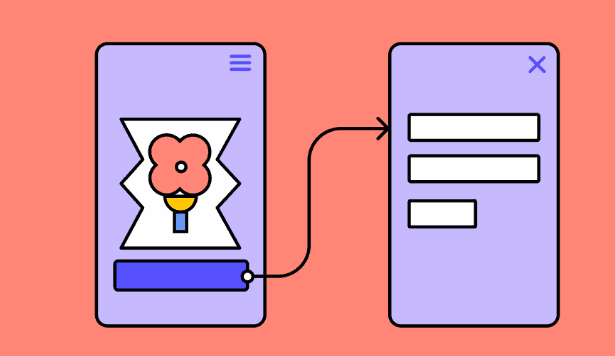
- Use Interactive Elements to Simulate Real-World Use: Incorporate clickable components and dynamic interactions to create a realistic prototype that mimics the final product, aiding in accurate user testing.
- Provide Clear Instructions to Test Participants: Offer straightforward guidance on how to navigate and interact with the prototype, ensuring participants understand the testing process.
- Ensure Ease of Navigation Within the Prototype: Design intuitive pathways and logical flow to facilitate seamless movement through the prototype, enhancing the accuracy of user feedback.
These practices enable designers to collect valuable insights by observing authentic user interactions with the prototype.
Check out: Figma to WordPress Designing for Conversion Rate Optimization
Best Practices for Conducting User Testing on Figma Prototypes
A successful user testing session requires a strategic approach. Involve a diverse group of users to ensure comprehensive feedback and detailed insight into different user experiences. Conducting effective tests include:
- Recruit a Diverse Group of Participants: Select participants from various demographic and user groups to obtain a wide range of perspectives and insights.
- Employ a Neutral Moderator to Guide the Session: Use an unbiased moderator to facilitate the testing, ensuring that participants can provide honest and uninfluenced feedback.
- Analyze Findings Systematically to Inform Design Adjustments: Review and interpret user feedback methodically to identify patterns and areas for improvement, guiding subsequent design refinements.
Conducting frequent and well-structured user testing throughout the design phase ensures that the final product meets or exceeds user expectations.
Also read: Benefits of Using Figma for WordPress Web Design
Measuring Success: Key Metrics to Evaluate Post-Launch User Engagement
Post-launch, it is vital to analyze the effectiveness of your user-centric design approach through key metrics. These metrics provide insights into user interaction and reveal areas needing further optimization. Important KPIs include:
Page Views and Session Durations Reflect Content Engagement
Analyzing how often pages are viewed and the length of time users spend on your site can provide valuable insights into how engaging your content is. High page views and longer session durations typically indicate that users find the content appealing and are motivated to explore further, signaling effective content engagement.
Bounce Rate and Conversion Rates Indicate Usability and Effectiveness
A high bounce rate may suggest usability issues or that the landing page content does not meet user expectations. Conversely, strong conversion rates signify that the site effectively guides users to complete desired actions, such as signing up for a newsletter or making a purchase. Together, these metrics offer a comprehensive view of the site’s performance in meeting user needs and achieving business goals.
User Satisfaction Surveys Provide Qualitative Insights
While quantitative metrics provide numbers, user satisfaction surveys deliver qualitative insights into how users perceive their experience. These surveys can reveal users’ emotions, preferences, and pain points, offering deeper understanding and context for data-driven decisions and improvements.
By monitoring and analyzing these metrics, designers can continuously enhance user experiences, adapting the site based on real user behavior and feedback.
Further reading: Role of Atomic Design in Figma to WordPress Projects
Tips for Creating a User-Friendly WordPress Theme
Developing a user-friendly WordPress theme involves prioritizing user feedback and utilizing tools like Figma to streamline the process. Some of the design tips are:

- Conduct Thorough User Research: Gather insights into user needs, behaviors, and preferences to inform design decisions and ensure the theme aligns with target audience expectations.
- Prioritize Feedback and Iterative Testing: Continuously collect user feedback and conduct iterative testing to refine the design, address usability issues, and enhance user experience.
- Utilize Figma’s Tools Alongside WordPress Page Builders: Leverage Figma for precise design and prototyping, and use WordPress page builders to implement the design seamlessly, ensuring consistency and functionality.
These strategies help develop user-friendly WordPress themes that boost user satisfaction and engagement.
Complete Guide: Steps to Streamline WordPress Theme Customization with Figma
Final Thoughts
Embarking on creating a WordPress site with a user-centric design involves understanding and integrating user needs throughout the design and WordPress development process. Tools like Figma empower teams to create intuitive, user-friendly designs efficiently. By focusing on user feedback and employing a refined strategy for testing and iteration, your WordPress site can deliver a superior user experience that stands the test of time. Ultimately leading to higher satisfaction and user engagement.
FAQs About User-Centric Design
How to use Figma for user testing?
Begin by creating detailed, interactive prototypes in Figma that simulate the real user experience. Use these prototypes to conduct user testing sessions, observe how users interact with the design, and gather valuable feedback for improvements.
Can Figma be used for WordPress?
Yes, Figma is an excellent tool for designing WordPress websites. It allows designers to create precise layouts and collaborate with developers to ensure a seamless transition from design to the WordPress platform.
How to convert a Figma design to a WordPress website?
For converting Figma designs to WordPress, export the assets and collaborate with web developers to recreate the design within WordPress. This often involves using page builders or custom themes to match the design accurately.
How can initial design concepts be explored using Figma?
Figma allows designers to quickly sketch initial design concepts and create multiple versions for comparison. This flexibility encourages creativity and innovation while enabling teams to explore various design directions before settling on the best approach.
What role do design tools like Figma play in enhancing a site’s identity and visual appeal?
Design tools like Figma are essential for shaping a site’s identity and visual appeal. With robust features for creating consistent and visually compelling layouts, Figma helps designers ensure that all elements align with the brand’s identity, resulting in a cohesive and attractive user experience.
Why is usability testing important in designing a user-friendly interface?
Usability testing is crucial for identifying potential challenges users may face when navigating a site. By observing real users interacting with the interface, designers can gather insights into the user journey and make data-driven adjustments, ensuring the final product is intuitive, accessible, and user-friendly.