Artificial Intelligence (AI) is no longer just a futuristic concept. It has become an essential part of UI/UX design, transforming the way designers create, test, and optimize digital experiences. AI is shaping user experiences with smarter tools, personalized interactions, and efficient workflows. From generative AI to adaptive interfaces, AI is enabling designers to build products that are not only visually appealing but also deeply user-centric. This article explores the top AI design trends revolutionizing UI/UX today.
What is Generative AI in UI/UX Design?
Generative AI in UI/UX refers to the use of AI algorithms that can create new design elements, layouts, and experiences based on patterns and data. Instead of starting from scratch, designers can use AI tools to generate design suggestions, automate repetitive tasks, and build prototypes faster.

Generative AI goes beyond automation; it brings creativity, adaptability, and personalization to the design process. For instance, tools like Figma AI and Adobe Firefly allow designers to generate mockups, images, and layouts with simple text prompts, saving time while enhancing creativity.
Read: How to Use AI Tools in Figma Design for Stunning Results
Professional Design Conversion vs AI Design
The rise of AI-powered tools has brought a major shift in how digital products are designed. While Artificial Intelligence offers speed, automation, and personalization, professional design conversion still holds its value in creativity, emotional intelligence, and human-driven innovation. To understand how both approaches compare, let’s look at their strengths and limitations.
Professional Design Conversion
Professional web designers bring context, culture, and empathy into the design process.

They focus on user psychology, branding, and emotional connections that AI often misses. Human-led design ensures creativity, originality, and brand authenticity. For example, a professional designer can interpret cultural nuances or brand storytelling in ways AI cannot fully replicate.
Turn Your Ideas Into High-Impact Digital Experiences
Our team transforms concepts into user-friendly digital interfaces that captivate audiences and enhance user experiences.
AI-Driven Design
AI-powered tools excel in speed and efficiency. They automate repetitive tasks such as resizing, generating layouts, or creating design components.
AI also analyzes user data to deliver personalized experiences and adaptive interfaces. Tools like Figma AI or Adobe Firefly can generate design suggestions in seconds, helping teams iterate faster and reduce time-to-market.
Finding the Balance
The future of design lies in combining the strengths of both. AI enhances efficiency and provides valuable insights, while professional designers ensure the final product reflects brand values and human-centered thinking.
Businesses that balance AI automation with professional creativity achieve the best results, with designs that are not only efficient but also meaningful and engaging.
In short, AI should be viewed as a collaborator, not a replacement. When used alongside professional expertise, it transforms the design process into one that is faster, smarter, and more impactful.
Know more: Best Tools to Convert UI to Code
Top AI Design Trends to Watch Out For
Here are the top AI design trends that UX/UI designers need to keep an eye out for:
1. Creating Personalized User Experiences
Personalization is at the heart of modern UI/UX design. AI analyzes user behavior, preferences, and interactions to deliver experiences tailored to each individual.
For example, streaming platforms like Netflix use AI to recommend shows based on viewing history, while eCommerce sites like Amazon personalize product recommendations. In 2025, this trend will become more sophisticated, with adaptive interfaces that evolve as users engage with a product.
2. Immersive and Interactive Experiences
AI is enhancing immersive experiences with augmented reality (AR), virtual reality (VR), and voice interfaces. Designers can now create multi-sensory experiences that go beyond traditional screen-based interactions.

For instance, AR shopping apps allow users to “try on” clothes or furniture in their homes before buying. Combined with AI, these experiences become more intuitive, predicting user needs and guiding them through personalized journeys.
3. Predictive and Adaptive Interfaces
One of the biggest advantages of AI in UI/UX is its ability to predict user behavior. AI-powered systems analyze historical data to anticipate what users will do next. This allows for dynamic interfaces that adapt in real-time.
For example, an AI-driven travel app might suggest flight options before the user even starts searching, based on their past trips. Predictive design creates seamless and intuitive experiences, reducing friction and boosting satisfaction.
Explore: Benefits of Using Figma for WordPress Web Design
4. Smarter Visual Design with AI
AI is playing a critical role in visual design by providing insights and recommendations. Design tools powered by AI can suggest color palettes, typography, and layout structures that align with brand guidelines.
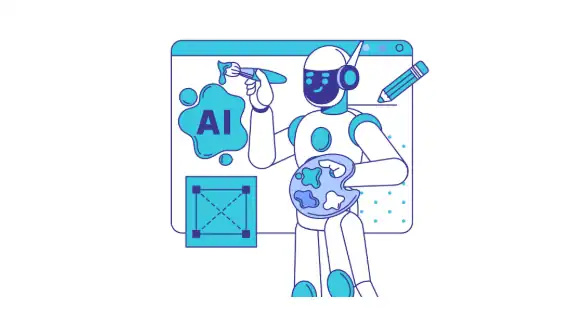
Tools like Canva AI help designers create professional-quality graphics in minutes. AI also ensures design consistency, improving accessibility and inclusivity.
By automating repetitive tasks such as resizing elements or creating UI components, designers can focus on strategic and creative decisions.
5. Automation in Design Systems
Design systems form the backbone of modern digital products. With AI, design systems are becoming smarter and more efficient. Machine learning algorithms can analyze past design patterns and automatically update components for consistency.
For example, if a brand updates its color scheme, AI-powered systems can instantly apply changes across all digital assets. This trend reduces manual work and speeds up product development while ensuring brand coherence.
6. Data-Driven User Research
Data and analytics are at the core of AI-powered UX. By analyzing historical user data, AI helps designers understand user journeys, pain points, and behaviors. This eliminates guesswork and provides actionable insights.
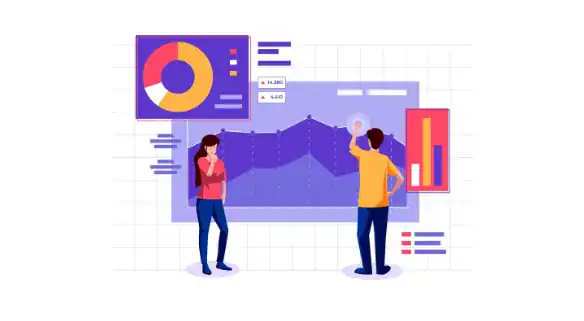
Tools like Hotjar AI use machine learning to identify trends in user behavior, allowing designers to make informed decisions. With data-driven insights, products become more user-friendly and aligned with actual user needs.
Read about: Impact of Color Theory in Figma to WordPress Conversions
7. Generative AI for Rapid Prototyping
Prototyping is one of the most time-consuming phases of design. Generative AI is changing that by enabling designers to create prototypes in minutes.
Platforms like UXPin Merge AI allow teams to generate functional prototypes directly from code or design assets. This speeds up testing, iteration, and validation, reducing time-to-market. Designers can focus more on refining experiences rather than building wireframes from scratch.
8. Accessibility and Inclusive Design
AI is making digital products more inclusive by identifying accessibility gaps and suggesting improvements.

For example, AI design tools can automatically generate alt text for images, ensure color contrast meets accessibility standards, and provide voice-enabled navigation for visually impaired users.
In 2025 and beyond, accessibility will no longer be an afterthought; it will be integrated into every design phase with the help of AI.
9. Voice and Conversational Interfaces
Voice user interfaces (VUIs) powered by AI are becoming mainstream. From virtual assistants like Siri and Alexa to customer service chatbots, conversational AI is transforming digital interactions.
In UI/UX design, this means building seamless voice experiences that are natural and intuitive. Designers are now focusing on creating conversational flows that mimic human interaction, making technology more approachable.
Discover: How to Design Brain-to-text Interfaces in Figma and Convert it to WordPress
10. Balancing Human and AI Creativity
While AI automates many aspects of design, the human touch remains irreplaceable. The challenge in 2025 is balancing AI efficiency with human creativity. Designers must use AI as a support system, not as a replacement.
For instance, AI can suggest design variations, but the final decision should come from a human designer who understands context, culture, and emotions. This collaboration ensures that products are both functional and meaningful.
11. Bento Grids
Bento grids are becoming one of the most exciting emerging trends in UI/UX design. This design style breaks away from rigid layouts and introduces a modern twist with flexible, card-based ui elements.

By organizing digital content into visually balanced blocks, Bento grids improve readability and enhance user experiences. They also guide the user’s eye more effectively, allowing business owners and designers to highlight key features or offers.
When empowering designers to create more engaging digital interfaces, Bento grids add structure without losing creativity. Combined with bold typography and subtle motion, they bring clarity, hierarchy, and strong visual appeal.
12. Spatial Design
Spatial design in UI/UX goes beyond screens to connect digital with real-world interactions. It merges physical environments with digital interactions, helping users interact naturally across devices. Using AR, VR, and AI based tools, spatial design creates immersive creating experiences that blur boundaries between physical and digital.
This game changer approach is especially powerful for industries like retail, where anticipating user actions enhances human centered design. Designers leverage AI and predictive analytics to adapt environments in real time, making products smarter.
By incorporating AI with historical data and data analysis, spatial design ensures interfaces evolve to enhance user experiences dynamically.
Know more: Mastering Px to Rem in Web Design
13. Dark Mode Aesthetics
Dark mode continues to dominate as one of the most influential trends reflecting how users interact with graphic interfaces. This design style reduces strain on the user’s eye, improves focus, and adds sleek visual appeal.
With bold typography and high-contrast ui elements, dark mode provides a modern twist to creating interfaces. AI advances are enabling AI-based tools to optimize digital interfaces automatically for readability in different lighting conditions, supporting enhanced accessibility.
This helps designers leverage AI to create products that adapt intuitively to user actions. By merging aesthetics with usability, dark mode gives digital interactions a timeless yet practical identity.
Further reading: Top Enterprise WordPress Agencies
The Role of AI-Powered Design Tools
AI-powered design tools are transforming the way UI/UX designers work by streamlining workflows, automating repetitive tasks, and providing intelligent design suggestions. These tools save time, boost creativity, and make the design process more efficient.
By integrating AI into their daily workflows, designers can focus more on strategic decisions and innovative user experiences rather than manual design tasks. Below are some of the most popular AI-powered design tools:
Figma AI
Figma AI helps designers generate design variations, layouts, and user interface suggestions quickly. It reduces manual effort and allows teams to experiment with different styles in less time.
UXPin Merge AI
UXPin Merge AI enables designers to create functional prototypes efficiently. It bridges the gap between design and development by turning components into working prototypes.
Canva AI
Canva AI automates graphic design tasks, from creating layouts to suggesting colors and typography. It is ideal for both professionals and non-designers looking for quick design solutions.
Adobe Firefly
Adobe Firefly uses generative AI to create creative assets such as images, illustrations, and layouts, making the design process more dynamic.
Lovable
Lovable uses AI to streamline product design workflows, making it easier for teams to ship products faster with minimal manual design overhead.
Framer
Famer focuses on AI-powered UI design, generating layouts and improving workflows for designers who need quick yet polished design solutions.
Adobe Sensei
Adobe Sensei uses predictive analytics and data analysis to automate repetitive tasks in Photoshop, Illustrator, and XD. By suggesting design improvements, it enhances visual appeal and ensures enhanced accessibility.
DALL·E 2
OpenAI’s DALL·E 2 generates unique images from text prompts, turning abstract ideas into digital content. It helps in creating UI elements quickly, giving designers an excellent tool for visual storytelling.
Vance AI
Vance AI specializes in enhancing images with AI-based tools. From upscaling visuals to removing backgrounds, it improves quality and empowers designers to focus on creative design style decisions.
ChatGPT 5
ChatGPT 5 supports creating interfaces by generating microcopy, content flows, and conversational designs. It reduces pain points in content design while ensuring human centered design in real world interactions.
Galileo AI
Galileo AI is built for designers, generating wireframes and layouts instantly. By incorporating AI and historical data, it suggests UI elements aligned with bold typography and modern twist designs.
Flow AI
Flow AI helps design conversational chatbots and voice assistants. By leveraging AI, it anticipates user actions and delivers smooth digital interactions. It is ideal for businesses aiming to improve user engagement, user interactions, and enhance user experiences.
Final Thoughts
AI is no longer just a supporting element in UI/UX; it is becoming the driving force behind smarter, faster, and more user-focused design. From generative AI and predictive interfaces to accessibility and automation, AI-powered tools are transforming the way designers create digital experiences.
By streamlining workflows and enhancing creativity, these technologies enable designers to focus on strategy, storytelling, and human-centered innovation.
However, the future of design is not about replacing creativity with algorithms; it’s about balancing AI’s efficiency with human insight.
Designers who embrace these AI design trends will be well-positioned to craft digital products that are intuitive, inclusive, and engaging, ultimately delivering meaningful experiences that resonate with users.
FAQs About AI Design Trends
How is AI changing UI/UX design in 2025?
AI is making UI/UX design faster, smarter, and more personalized by automating tasks, predicting user behavior, and creating adaptive interfaces.
Can AI replace designers completely?
No, AI cannot replace designers. It supports them by handling repetitive tasks and offering insights, while human creativity ensures meaningful and human-centered design.
What are the best AI tools for UI/UX designers?
Popular tools include Figma AI, Adobe Sensei, Galileo AI, ChatGPT 5, and DALL·E 2. These tools help with prototyping, content, visuals, and user experience optimization.
Why is accessibility important in AI-driven design?
Accessibility ensures products work for all users, including those with disabilities. AI enhances accessibility by optimizing contrast, generating alt text, and supporting voice interactions.